
Professional Printing Tips for Custom Pouch Bags With Logos
When cannabis brands invest in custom pouch bags with logo printing, most of the variables that determine quality are decided before the bags ever go into production. File format, color mode, bleed setup, and proof review all happen upstream of the press, and mistakes at any of those stages show up in the finished product. This is a practical walkthrough of what to get right.
Use Vector Artwork When Designing Custom Pouch Bags With Logos
Print vendors require vector files because they scale without quality loss. Raster images, such as JPGs and PNGs, are built from pixels. At bag print size, those pixels become visible and edges lose definition. Vector formats (.AI, .EPS, or print-ready .PDF) store artwork as mathematical paths, so a logo that fits on a business card reproduces cleanly on a one-ounce bag or a larger format without rebuilding the file.
If your logo was originally created in a pixel-based program, have a designer redraw it in a vector environment before submitting. For any raster elements embedded in your design (background textures, product photography), the minimum resolution is 300 DPI at final print size. Files at screen resolution (72 DPI) are a consistent source of first-order revision cycles.
Convert to CMYK Before Submitting
Screens display color in RGB (red, green, blue). Commercial printing runs in CMYK (cyan, magenta, yellow, black). The two color models do not translate directly, so artwork built in RGB can shift noticeably when converted on press. Submit files in CMYK mode and request a proof before approving a full run.
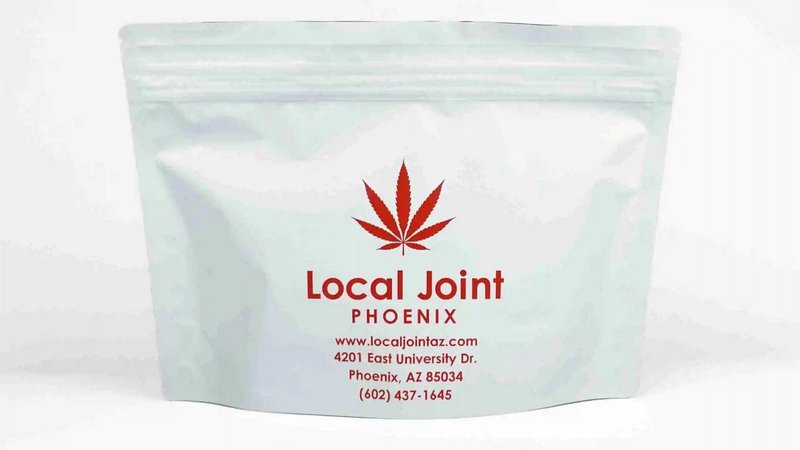
Brands using Pantone (PMS) spot colors should confirm whether their supplier can print spot colors or will convert them to a CMYK equivalent. Certain colors, particularly neons and some greens, are difficult to match accurately in four-color process printing. Knowing this before finalizing a design avoids surprises during proofing.
Cannaline's in-house design team reviews submitted artwork and flags color mode issues before production begins. For brands ordering custom-printed Mylar smell-proof bags, that review is part of the standard process.
Understand Bleed, Safe Zones, and Label Space
Every print file needs a bleed area: extra artwork extending beyond the cut or seal line. Bleed prevents white edges from appearing if the material shifts slightly during production. A standard bleed is 0.125 inches on all sides, though your supplier will specify their requirements in artwork guidelines.
The safe zone is the interior margin where all critical elements (logo, brand name, required legal copy) need to stay so nothing gets cut off or sealed over. Request a dieline or template from your supplier before finalizing artwork, not after.
Cannabis packaging in regulated markets also requires space for mandatory label information. This includes tetrahydrocannabinol (THC) content, batch numbers, net weight, strain name, and state-required warnings. State cannabis regulatory agencies publish labeling requirements specific to each market. Consequently, these requirements take up plenty of real estate on the bag. Designing label space in from the start is significantly easier than trying to fit compliance copy onto a finished layout.
Match the Printing Method to Your Volume
Flexographic printing uses relief plates to apply ink to bag film. It produces accurate, consistent color across large runs and is the standard for high-volume cannabis packaging. Cannaline was the first company to bring flexographic printing to the cannabis industry, and it remains the right choice for brands ordering at scale. Plate creation carries an upfront cost, so flexo makes the most sense when production volume justifies it.
Digital printing skips plates and applies ink directly from the file. Setup costs are lower, which suits shorter runs. Brands using low minimum order quantity (MOQ) options to test a new product before a larger commitment often find digital printing the practical starting point. Cannaline supports both methods and can help match the approach to your order size.
Review Proofs Carefully
A digital proof shows how artwork sits on the bag template. A physical press proof shows how it actually prints. For any order involving new artwork, a physical proof before production sign-off is worth the time. Correcting a color issue or a compliance copy error on a proof is a fraction of the cost of reprinting a production run.
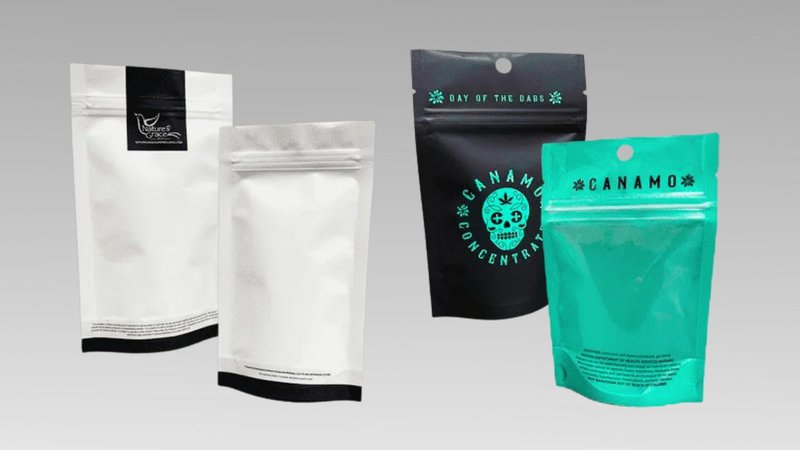
Review proofs under consistent, neutral lighting. Office fluorescents shift color perception in ways that natural or daylight-balanced light does not. Check logo placement, color accuracy, text legibility, any child-resistant (CR) feature positioning, and every line of required legal copy. Cannaline's team can walk brands through the proof review process before final approval.
Factor in Finish and Material for Your Custom Pouch Bags with Logo
Matte finishes absorb light and work well for fine-detail logos in retail environments. Gloss finishes increase perceived color saturation but can reflect light unevenly depending on shelf positioning. Specialty finishes such as spot UV, applied selectively to a logo or wordmark against a matte background, create tactile contrast without changing the rest of the packaging.
The right finish depends on your brand aesthetic and the retail context. Cannaline's full range of bag materials and finish options is available across the Mylar smell-proof bag catalog and child-resistant Mylar bag options.
Cannabis packaging also operates under compliance requirements that general commercial print suppliers may not be familiar with, including opaque material mandates, child-resistance certification standards, and state-by-state labeling variation. Cannaline has worked with cannabis brands since 2009, from single-license operators to large multi-state operators (MSOs), and that experience is built into every custom order.
Learn more about Cannaline's custom-printed bag options and get started with a free quote. Visit our website today!